
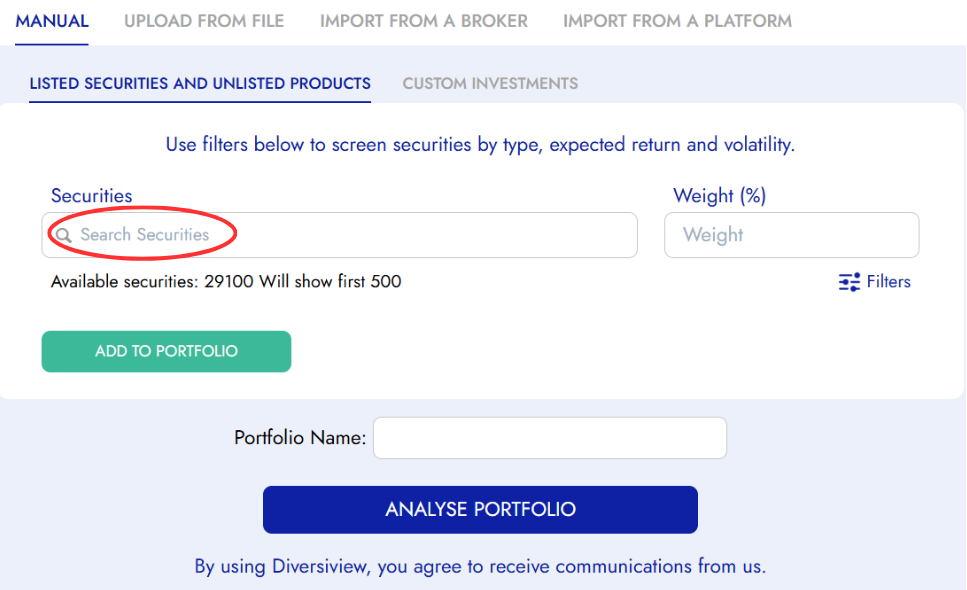
This guide will help you utilise Diversiview’s stock screener filter to conduct more targeted searches when adding securities to your portfolio through the “Search Securities” bar.
What is a Stock Screener?
The stock screener is a powerful filtering feature that allows you to narrow down your investment search based on specific criteria. Instead of scrolling through thousands of securities, you can use filters to find investments that match your particular requirements and investment strategy.
Accessing the Stock Screener
1. Navigate to Manual Entry
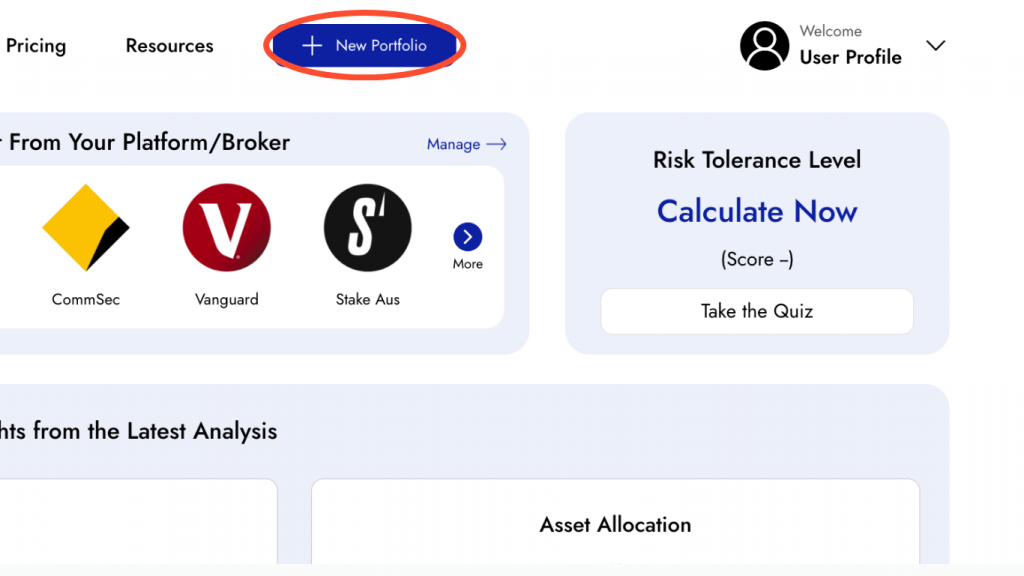
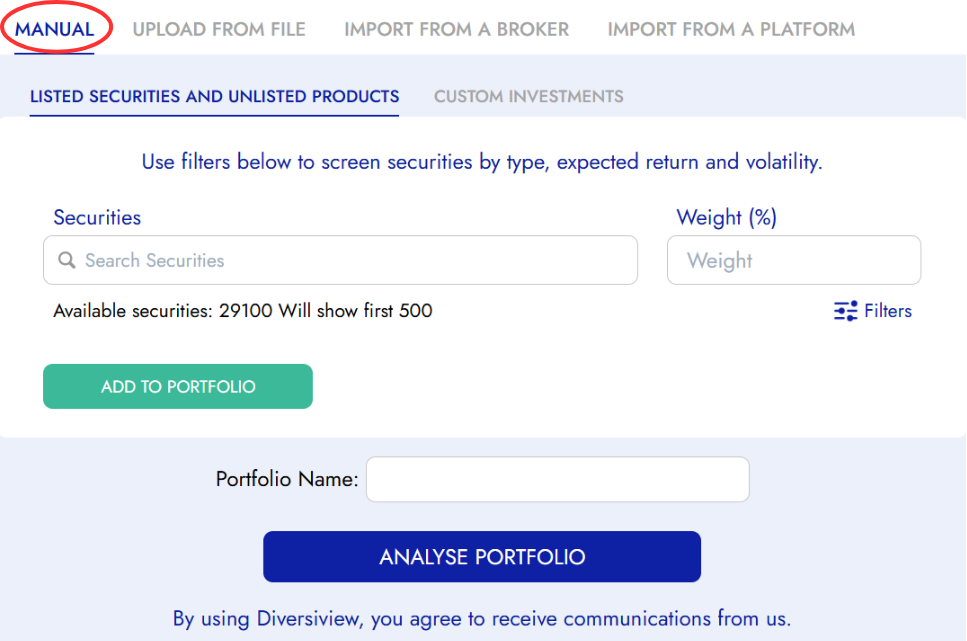
After signing in, you will be taken to your Diversiview Dashboard, click the top-right button  to open the New Portfolio page. To see the stock screener filter options, ensure the “Manual” tab is selected.
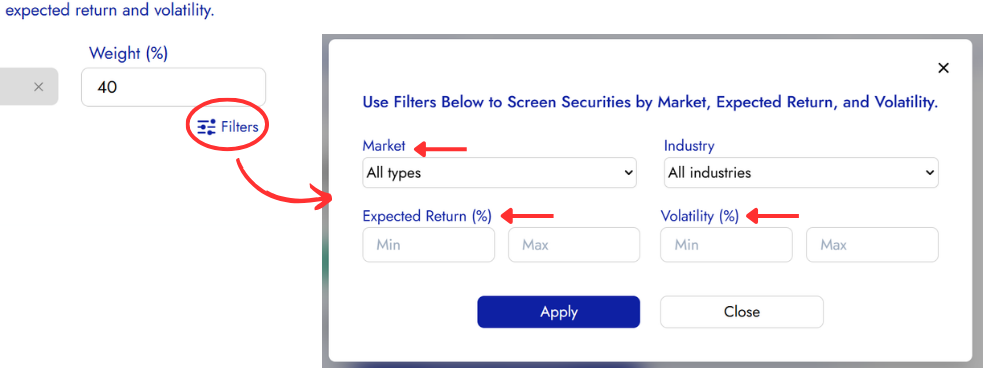
2. Locate the filters
Near the “Search Securities” bar, you’ll find filter options that allow you to refine your search results.
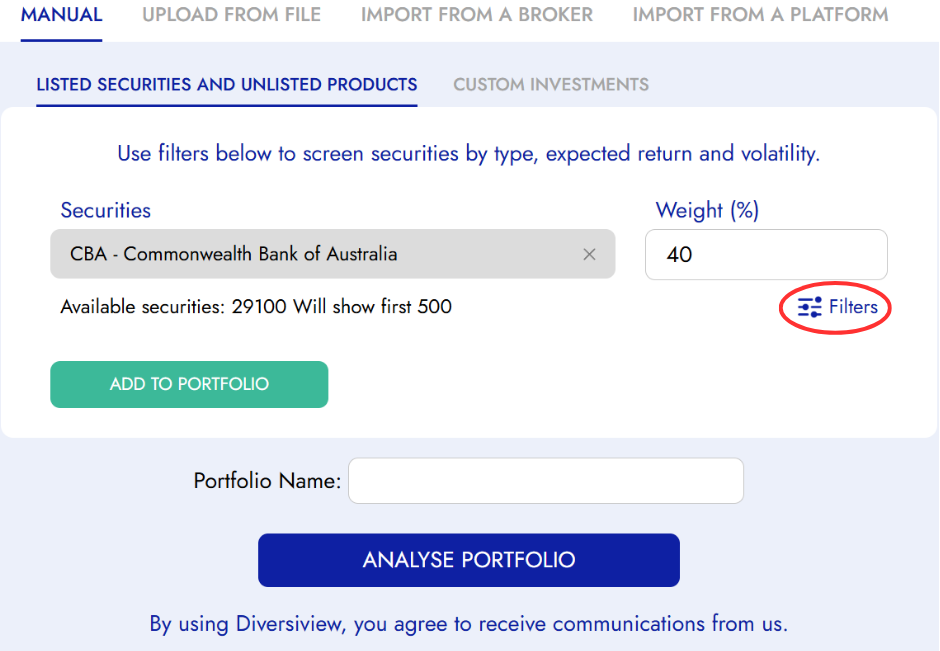
Available Filter Categories
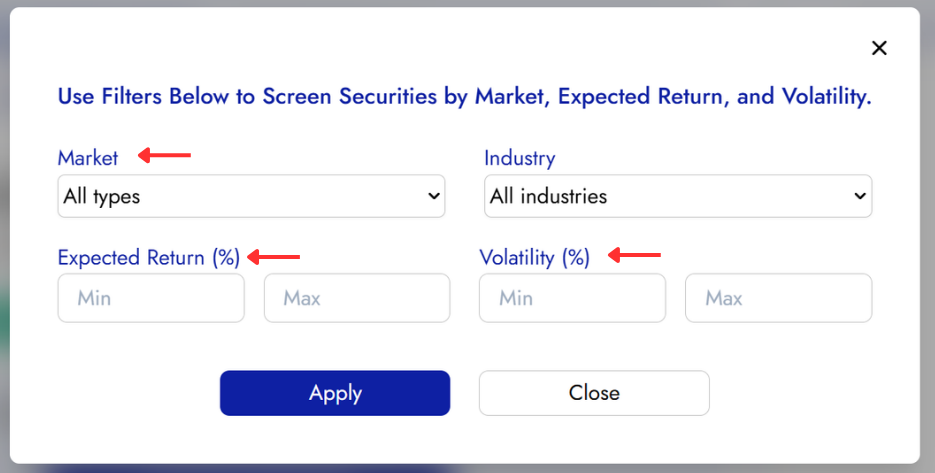
Market Filters
Filter securities based on the specific markets or exchanges where they are traded. This allows you to focus your search on particular geographic regions or trading venues that align with your investment preferences and regulatory requirements.
Expected Return Filters
Set criteria based on the projected or expected returns of securities. This filter helps you identify investments that meet your target return objectives, whether you’re seeking conservative, moderate, or aggressive growth potential.
Volatility Filters
Filter securities by their volatility levels to align with your risk tolerance. This allows you to search for:
- Low Volatility: Securities with more stable price movements and conservative risk profiles
- Moderate Volatility: Securities with balanced risk-return characteristics.
- High Volatility: Securities with higher price fluctuations and potentially greater return variability
How to Apply Filters
Step 1: Select your criteria
- Before typing in the “Search Securities” bar, access the filter options
- Choose from the three main filter categories: Market, Expected Return, and Volatility
- Set specific parameters for each filter based on your investment goals
Step 2: Combine Multiple Filters
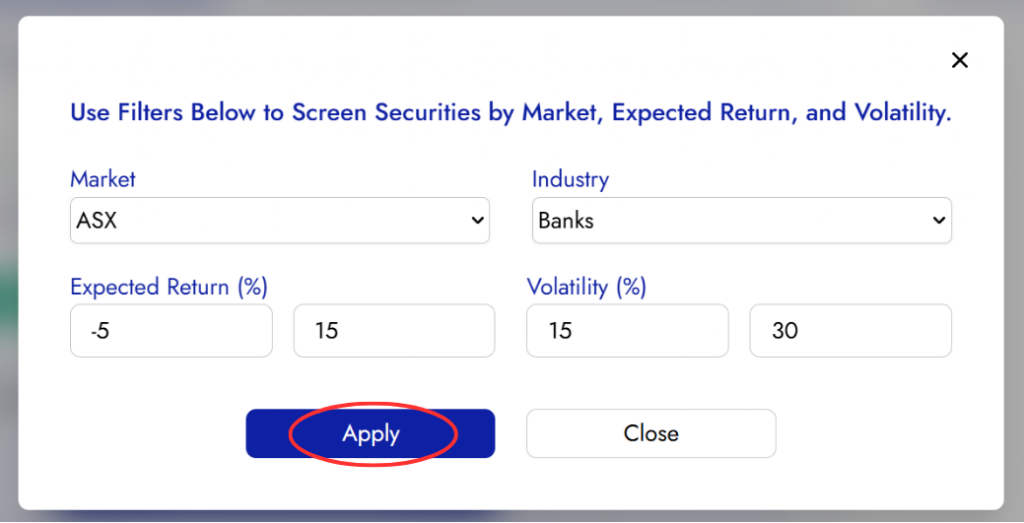
Layer Filters: You can apply multiple filters simultaneously for highly targeted results.
Example: Search for securities from specific markets with moderate expected returns and low volatility.
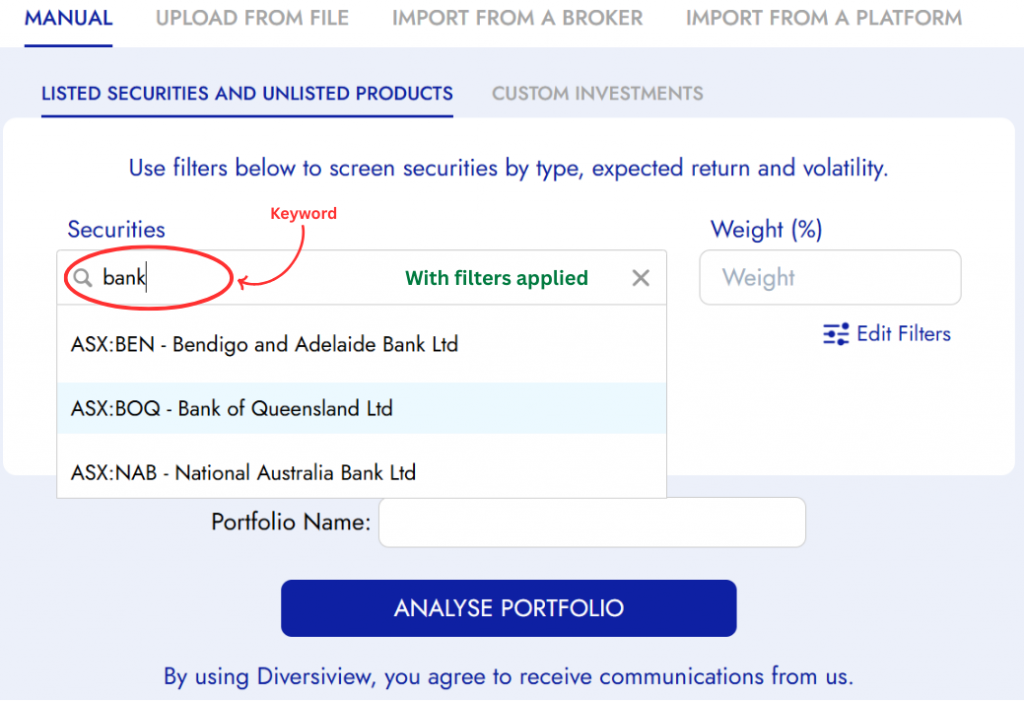
Step 3: Search with Filters Applied
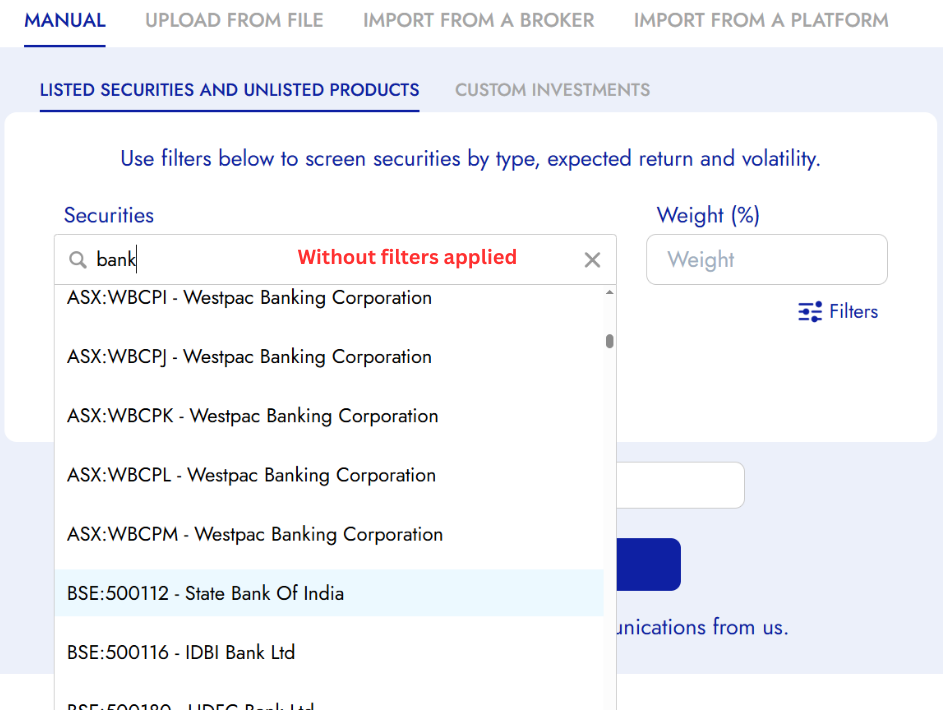
- With your filters set, type market, ticker or the company name in the “Search Securities” bar
- The results will now only show securities that match both your search terms and applied filters
- Select your desired security from the refined dropdown list
Next Steps
Once you’ve found your desired securities using the stock screener:
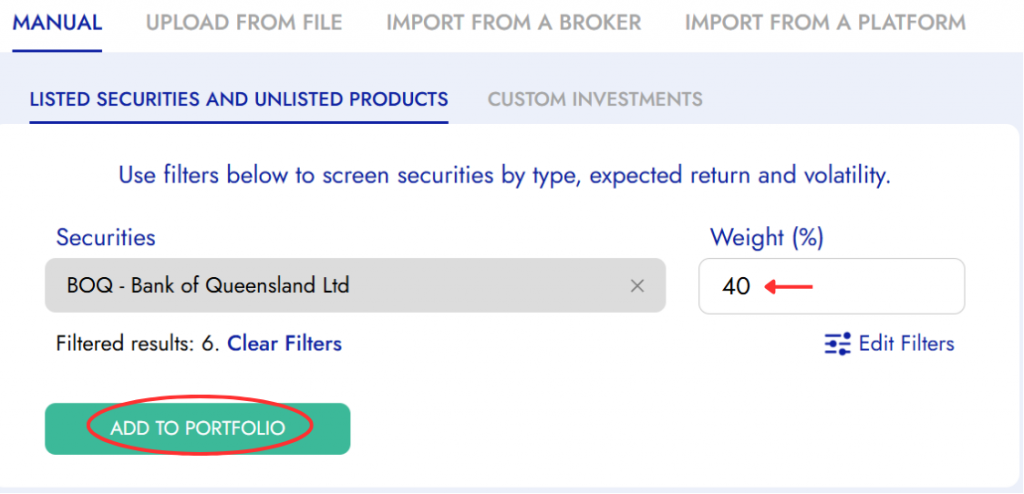
- Set Your Weightings: Determine the percentage allocation for each selected security
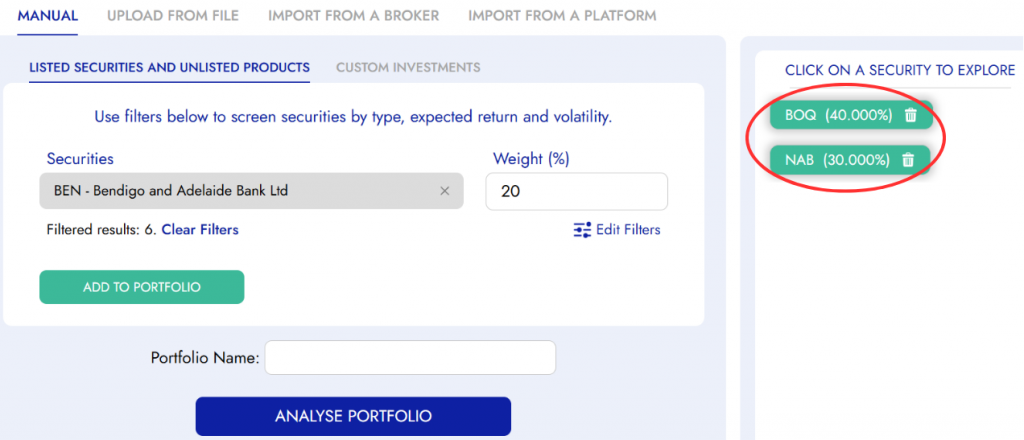
- Add to Portfolio: Click the green “Add to Portfolio” button
- Repeat as Needed: Use the screener to find additional securities for your portfolio
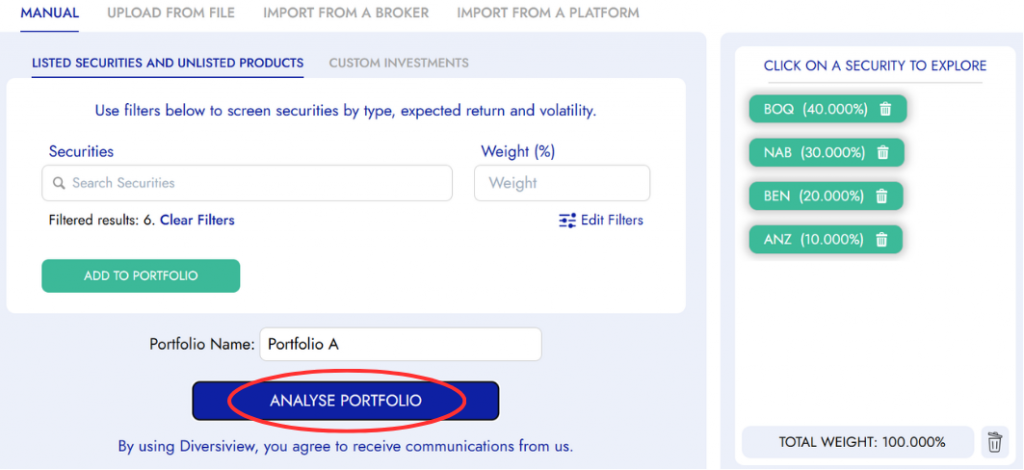
- Analyse Portfolio: Click the blue “Analyse Portfolio” button to generate your comprehensive analysis report
Clearing and Resetting Filters
- Clear Individual Filters: Remove specific filter categories while keeping others active
- Reset All Filters: Return to viewing all available securities by clearing all applied filters
- Default View: When no filters are applied, the search bar will show all securities matching your search terms
Need More Help?
If you’re having trouble with the stock screener or need assistance with specific filter combinations, our support team is here to help. The screener is designed to make your investment process more efficient.
Ready to start screening? Return to the manual portfolio entry page and begin using these powerful filtering tools to analyse and optimise your investment portfolio.