
This guide will walk you through how to both purchase credit points and apply any discount codes you may have before finalizing your purchase. If you are only interested in how to apply a discount code, please skip ahead to Step 4:
1. Access The Pricing Page:
- From your Diversiview dashboard, select the “Buy Now” button in the “Credit Point Balance” section. You will be redirected to the Pricing Page.
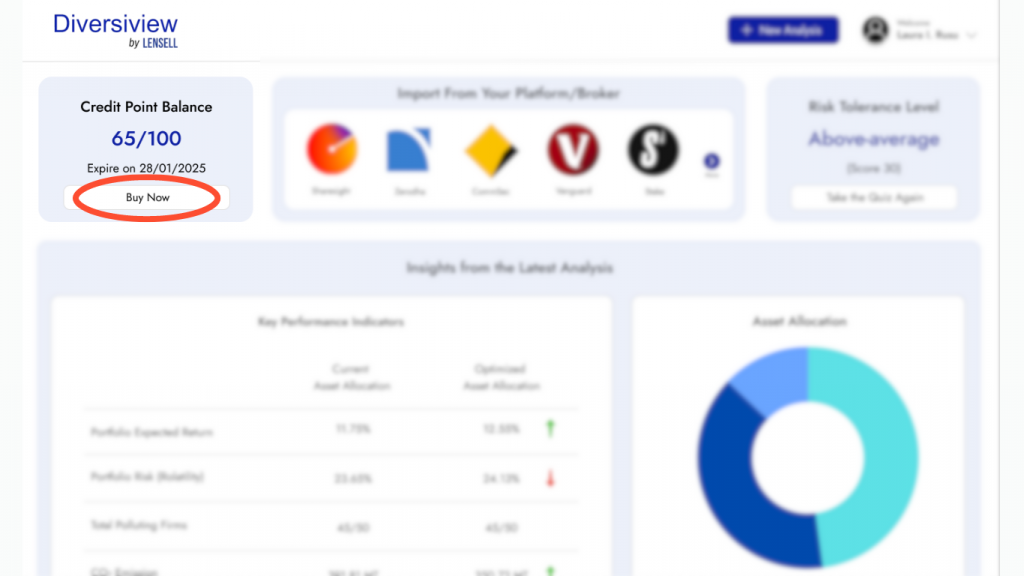
Or
- From any page on the Diversiview site while you are logged in, click the “Pricing” link from the navigation bar. This will redirect you to the Pricing page.

2. Select the Purchase Points Option:
- From the Pricing page, in the “Self Service” option, click
 .
.

3. Select Your Preferred Amount of Credit Points:
- A pop-up will appear giving you the flexibility to choose your preferred amount of credit points.
- You can choose from the most popular packages purchased by our users that offer a discounted price, or you can select a custom points bundle, where you get 10 credit points per bundle.

- Once your preferred package is chosen, click
 . You will be redirected to Stripe, a trusted payment processor.
 - Please note: All prices displayed in Diversiview are in USD. During Stripe’s secure checkout, the pricing will automatically adjust to your local currency based on your IP address.
4. Apply Your Discount Code:
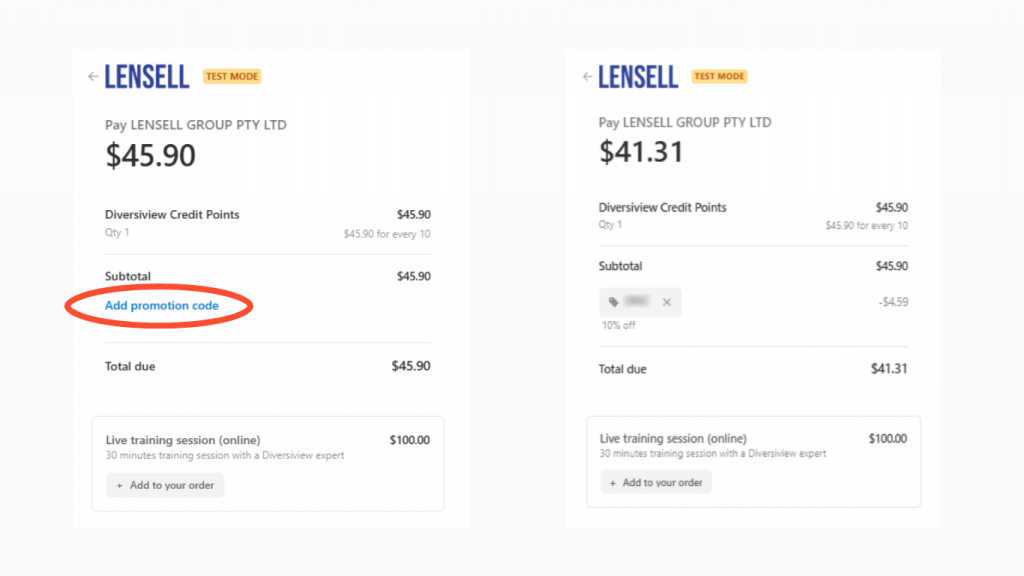
- Once you’re on the Stripe checkout screen, look for the blue “Add promotion code” link. Click it, and a field will appear where you can type in your discount code.
- After you’ve entered the code, click the “Apply” button. If your code is valid, your discount will be immediately applied to your total.
5. Complete Payment:
- Simply complete your payment details using Stripe. Once the transaction is complete, you will be redirected to your Diversiview Dashboard.
Ready to learn more about your portfolio’s performance? Purchase credit points from the Pricing page to start analysing and optimising your investment portfolio.